

RemoveSynthID
Click to visit website
About
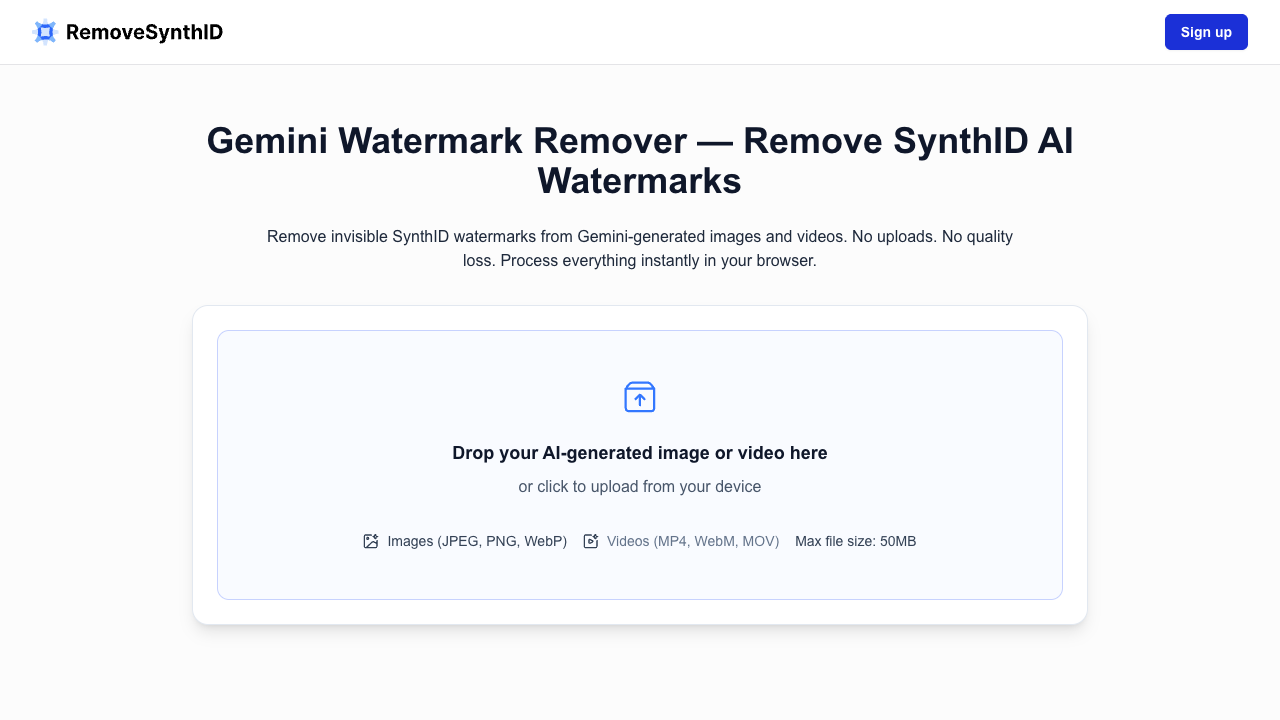
RemoveSynthID is a specialized browser-based utility designed to identify and disrupt the invisible SynthID watermarks embedded inside images and videos generated by Google's Gemini models. Unlike traditional watermark removal tools that strip simple file metadata, this application targets the underlying pixel data and frequency-domain structures where SynthID embeds its signature. By processing files locally, it allows users to strip automated tracking signals without altering the visible quality, resolution, or color composition of their media. The tool functions entirely within the user's web browser, ensuring that no sensitive images or videos are ever uploaded to external servers. Users simply drag and drop files (such as JPEG, PNG, WebP, MP4, MOV, or WebM) and trigger the removal process. The underlying algorithm analyzes the frequency characteristics of the file and applies highly precise, subtle pixel-level perturbations. These adjustments disrupt the pattern recognition capabilities of SynthID detectors while keeping the file visually indistinguishable from the original, preserving sharp details and colors. RemoveSynthID is optimized for creative professionals, marketing agencies, and digital designers who rely on Gemini-generated media but require clean, unwatermarked deliverables for campaigns, portfolios, or clients. By removing automated classification signals, the tool helps maintain brand consistency across diverse platforms and avoids potential visibility penalties imposed by networks that target AI-marked content. Everyday users also benefit from the simplified, private workflow when they want to share personal creations without exposing their technical workflows. What sets RemoveSynthID apart from other tools is its ability to process both images and videos locally using GPU acceleration, without uploading assets to the cloud. Most metadata-stripping services fail to impact SynthID because it is woven into the frequency domain of the image or video itself. RemoveSynthID directly tackles this content-level integration through specialized client-side processing, ensuring complete creative control and data security.
Pros & Cons
Processes all files locally in the browser, ensuring absolute privacy.
Maintains original visual quality, resolution, and color accuracy.
Supports both image formats and video formats including MP4, MOV, and WebM.
Features GPU-accelerated performance for faster processing speeds.
Offers batch upload capability to clean multiple files in a single session.
Does not guarantee 100% watermark removal in every scenario.
Very large files may slow down or fail due to browser memory limitations.
No built-in visual way to verify successful watermark removal.
May not prevent detection by systems using non-watermark AI analysis.
Use Cases
Creative designers can clean Gemini-generated assets locally before presenting them to clients, ensuring professional and neutral deliverables.
Marketing agencies can strip invisible platform-classification markers from promotional videos and images to maintain consistent reach and visibility.
Everyday creators can share AI-generated media without exposing their underlying tools, workflows, or generation parameters.
Social media managers can batch-clean daily campaign visual assets to avoid automated platform labeling on various networks.
Platform
Features
• local browser-based processing
• batch upload capabilities
• gpu-accelerated performance
• invisible synthid watermark disruption
• zero server-side file uploads
• frame-by-frame video cleaning
• supports jpeg, png, webp, mp4, mov, and webm formats
• no quality or resolution loss
FAQs
Is this tool guaranteed to work?
No, it is not guaranteed. SynthID is built to be robust, and detection methods can vary between platforms and evolve over time. The tool focuses on reducing detectability through pixel-level and frequency-aware adjustments on a best-effort basis.
Does Gemini use SynthID to watermark images?
Yes, Gemini embeds SynthID-style invisible watermarks in its generated images. These signals are embedded into the underlying pixel and frequency structures rather than file metadata, making them highly durable.
How does the Gemini Image Watermark Remover work?
It applies subtle, structured perturbations to image pixels to disrupt the watermark's detection features. This process runs locally in your browser and preserves visual details like resolution, color, and clarity.
What image formats does the tool support?
The tool supports common web formats including JPEG, PNG, and WebP. For optimal outcomes, users should upload the original exported files before any external compression or formatting changes.
Does this tool support video and audio SynthID removal?
The tool supports image and video processing as shown in the upload interface. Video processing is done frame-by-frame, while audio removal is not currently featured or supported.
Is my data uploaded to any server?
No, all processing occurs locally inside your web browser. Your files never leave your device, ensuring maximum privacy and data security for sensitive client work or personal projects.
How can I tell if the SynthID watermark was removed?
Because SynthID is invisible, removal cannot be confirmed through visual inspection. You must test the processed output using a trusted, specialized watermark detection tool to verify the results.
Will removing SynthID watermarks affect my image quality?
No, the process is designed to keep image quality visually unchanged. The tool preserves color accuracy, sharpness, contrast, and resolution while targeting only the hidden watermark structures.
Can I process multiple Gemini images at once?
Yes, the tool supports batch uploads and bulk processing in a single session. Images are processed sequentially to prevent browser memory issues and maintain overall device performance.
What is the difference between SynthID and C2PA watermarks?
C2PA watermarks rely on metadata and cryptographic records that can be stripped during file exports or re-saving. SynthID embeds signals directly into pixel patterns, requiring content-aware pixel manipulation.
Pricing Plans
Monthly Plan
USD9.00 / per month• Removes SynthID from 10 files instantly
• Zero quality loss or distortion
• Supports all major file formats
• Fast, GPU-accelerated processing
• 100% local, private watermark removal
• Batch upload for faster workflows
• Cleans metadata and AI fingerprints
• Unlimited clean file downloads
• Safe for commercial and client use
• Priority customer support access
Job Opportunities
There are currently no job postings for this AI tool.
Ratings & Reviews
No ratings available yet. Be the first to rate this tool!
Alternatives

Gemini Watermark Remover
Cleanse Gemini-generated images and videos of hidden SynthID watermarks to ensure privacy and professional quality without any loss in resolution or pixel detail.
View Details
WatermarkRemover.io
Eliminate distracting watermarks from photos, videos, and PDFs instantly with AI-powered detection that preserves image quality for creators and marketers.
View Details
DeWatermark
Remove watermarks, logos, and text from photos using AI-powered detection and inpainting to ensure high-quality, blur-free results for creators and businesses.
View DetailsFeatured Tools

adly.news
Connect with engaged niche audiences or monetize your subscriber base through an automated marketplace featuring verified metrics and secure Stripe payments.
View Details
AdMake AI
Generate studio-quality product ads and UGC videos in seconds with AI, enabling Shopify brands and solo founders to scale creative testing on a budget.
View Details
LTX Studio
Generate high-quality videos from text or images in just two to four seconds using an open-source, commercial-grade ecosystem built for creative control.
View DetailsVeo 4
Create cinematic 4K videos up to 30 seconds with synchronized audio and realistic motion using advanced AI models designed for professional content creators.
View Details
Nano Banana
Create and edit professional-grade visuals for designers using natural language commands powered by Google Gemini for character consistency and 4K realism.
View Details
GPT Image 2
Generate photorealistic AI images with 95%+ text accuracy and 4K resolution. Create professional-grade posters, logos, and marketing assets with perfect text.
View Details