

RemoveFrom.Video
Click to visit website
About
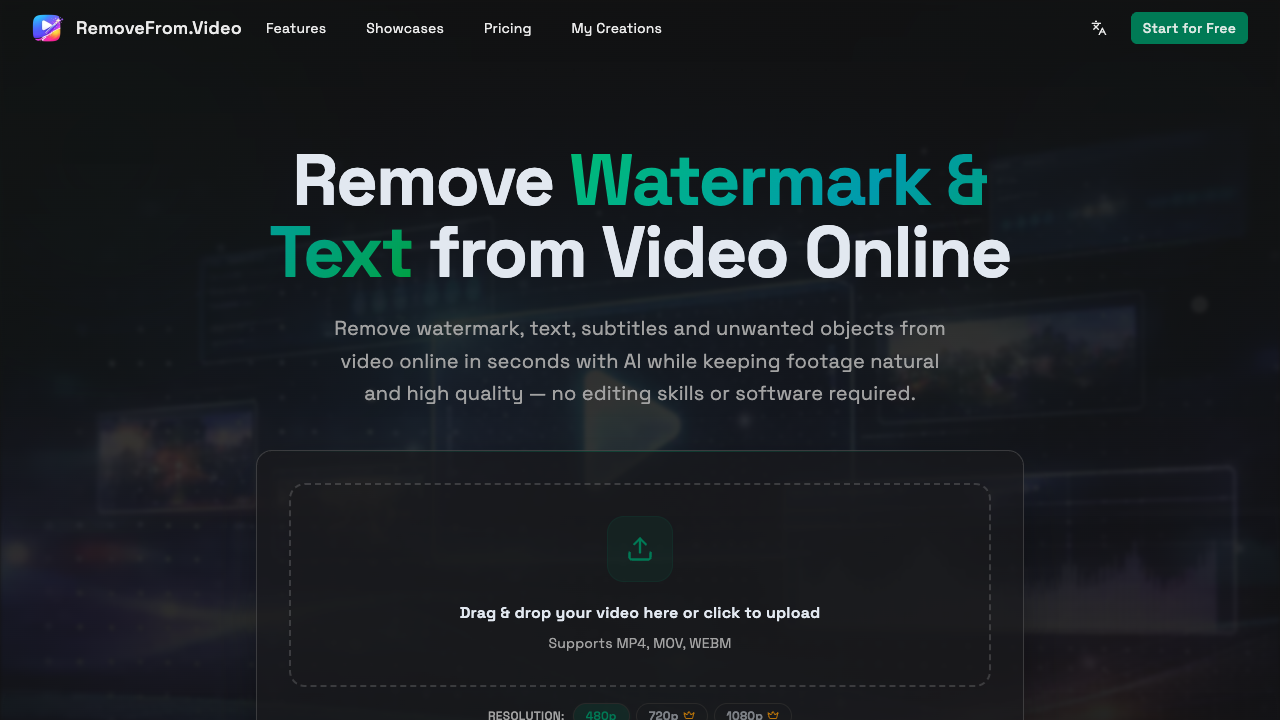
RemoveFrom.Video is an online AI-driven platform designed to clean up video content by removing distracting elements. It addresses the common challenge of dealing with watermarks, hardcoded subtitles, and intrusive text overlays that can clutter visual media. By leveraging advanced computer vision algorithms, the tool identifies the selected area and intelligently fills in the background, ensuring the final output looks seamless and natural without the typical blurring associated with traditional manual editing. The workflow is streamlined for accessibility, requiring no advanced editing skills or specialized software like Premiere Pro or After Effects. Users simply upload their footage in MP4, MOV, or WEBM formats, select the unwanted elements, and let the AI process the removal. The platform supports various resolutions up to 1080p and uses a credit-based system where five credits cover 30 seconds of video. This allows for precise control over processing costs while delivering watermark-free HD downloads quickly through automated processing. This tool is particularly valuable for social media managers, content creators, and marketing professionals who need to repurpose footage or remove old branding from historical video assets. Whether it is cleaning up a promotional clip for a new campaign or removing date stamps from archival footage, the platform provides a professional-grade solution that saves hours of manual frame-by-frame retouching. It is ideal for those who need fast results without the overhead of learning professional VFX software. What sets RemoveFrom.Video apart is its focus on clean removal rather than simple blurring. Many legacy tools leave behind smudge-like artifacts, but this AI engine prioritizes maintaining the original texture and lighting of the scene. Furthermore, the inclusion of a commercial license in the Basic and Pro plans makes it a reliable choice for professional workflows where intellectual property and asset cleanliness are paramount to the final production quality.
Pros & Cons
Maintains natural textures without significant blurring or quality loss.
Offers flexible pricing with monthly, annual, and one-time payment options.
Credits roll over to the next month, ensuring no loss of paid value.
Supports a range of common formats including MOV and WEBM for versatility.
Includes a commercial license on higher-tier plans for professional use.
Limited to 1080p resolution, which may not suit 4K professional workflows.
Processing is credit-dependent, with longer videos requiring significant credit totals.
Does not offer a truly unlimited processing plan for high-volume users.
Use Cases
Social media managers can remove old brand watermarks or logos from existing assets to repurpose them for new platform campaigns.
Educational content creators can strip hardcoded subtitles from lecture videos to replace them with translated or updated text.
Marketing teams can remove distracting background objects or people from promotional footage to create a cleaner, more professional look.
Archivists can clean up timestamp overlays or technical text from historical footage to prepare it for modern viewing.
Freelance editors can quickly clean up stock footage or client clips without needing to perform manual frame-by-frame retouching.
Platform
Features
• ai-powered watermark removal
• commercial usage licenses
• watermark-free hd downloads
• credit-based processing system
• supports mp4, mov, and webm
• hd 1080p output support
• object removal from video
• text and subtitle removal
FAQs
What video formats does RemoveFrom.Video support?
The platform currently supports three major video file formats: MP4, MOV, and WEBM. This covers the majority of files exported from cameras, smartphones, and screen recording software.
How does the credit system work for processing videos?
The tool consumes 5 credits for every 30 seconds of video footage processed. For example, a one-minute video would require 10 credits, which are deducted from your monthly or one-time balance.
Can I use the edited videos for business purposes?
Yes, both the Basic and Pro plans include a commercial license. This allows you to use the edited, watermark-free videos in professional marketing materials, client projects, and social media ads.
Does the AI leave a blur where the object was removed?
No, the AI is designed to reconstruct the background behind the removed object or text. This keeps the footage looking natural and high-quality without the obvious blurring seen in older software.
What happens to my unused credits at the end of the month?
Unused credits on active subscription plans roll over to the next billing cycle. This ensures that you can use the credits you paid for even if your video volume fluctuates between months.
Pricing Plans
Hobby
USD8.33 / per month• 100 Credits / month
• Process up to 20 videos
• Remove watermarks, text & objects
• Up to 1080p output resolution
• HD, watermark-free downloads
• Normal support
Basic
USD15.83 / per month• 300 Credits / month
• Process up to 60 videos
• Remove watermarks, text & objects
• Up to 1080p output resolution
• Faster processing speed
• HD, watermark-free downloads
• Priority support
• Commercial license
Pro
USD29.99 / per month• 900 Credits / month
• Process up to 180 videos
• Remove watermarks, text & objects
• Up to 1080p output resolution
• Faster processing speed
• HD, watermark-free downloads
• Priority support
• Commercial license
Job Opportunities
There are currently no job postings for this AI tool.
Ratings & Reviews
No ratings available yet. Be the first to rate this tool!
Featured Tools

adly.news
Connect with engaged niche audiences or monetize your subscriber base through an automated marketplace featuring verified metrics and secure Stripe payments.
View Details
Salespeak
Provide founder-level sales expertise across web, email, and LLM search with AI agents that learn your product in minutes to capture intent and convert buyers.
View Details
GPT Image 2
Transform text prompts and reference uploads into high-quality visuals with a streamlined browser-based generator designed for marketing and design workflows.
View Details
Seedance 2.0
Generate 2K cinematic videos with multi-shot storytelling and synchronized audio in under 60 seconds to transform text or images into professional-grade content.
View Details
Happy Horse AI
Produce cinematic AI videos with native audio and consistent characters by combining text, images, and clips into beat-synced content for filmmakers and creators.
View Details