

Sketch To
Click to visit website
About
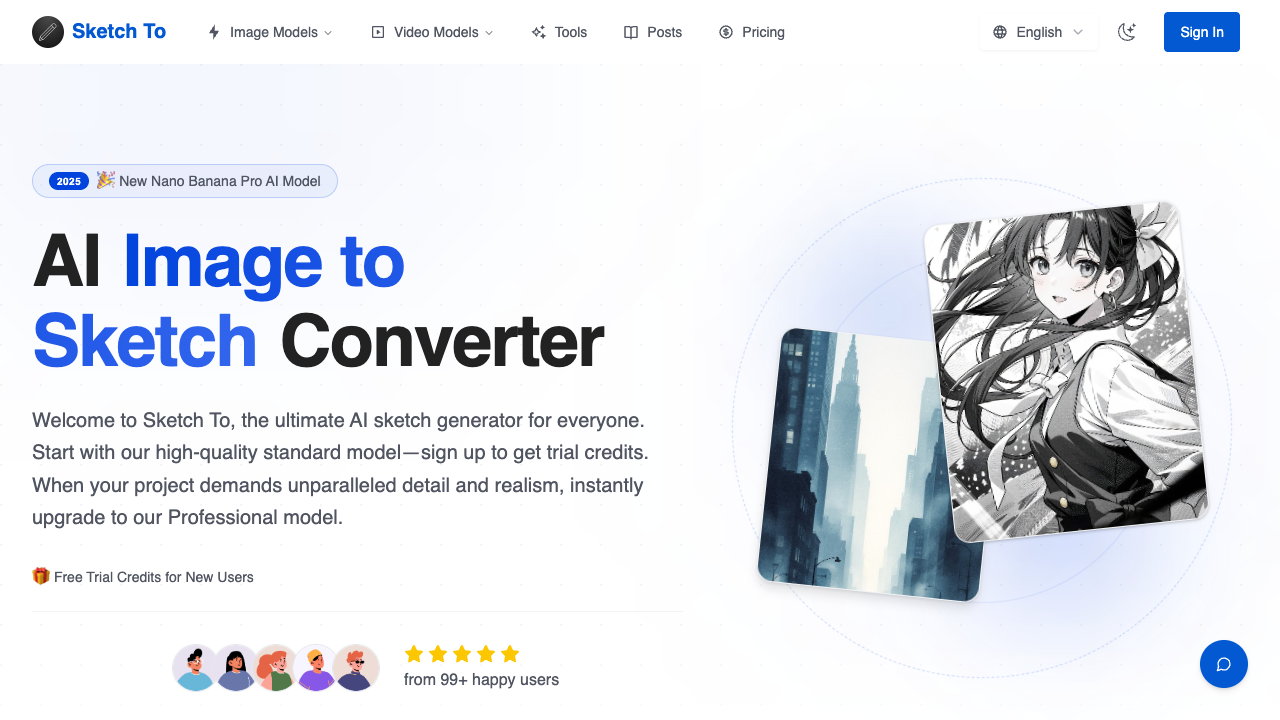
Sketch To is an AI-powered creative platform specializing in bidirectional image conversion. Its primary function is twofold: transforming standard photographs into various artistic sketch styles and rendering hand-drawn sketches into realistic, high-detail images. Utilizing advanced neural networks, including the proprietary Nano Banana models, the tool bridges the gap between digital photography and traditional art forms. Whether a user needs a quick charcoal filter for a social media post or a complex architectural sketch turned into a photographic preview, the platform provides a streamlined, browser-based interface to achieve these results in seconds. The platform offers a variety of artistic styles to choose from, ranging from classic pencil and charcoal to more specialized formats like ink sketches, watercolors, and comic book aesthetics. It operates on a credit-based system with two distinct AI tiers: the Standard Model and the Pro Model. The Standard Model is optimized for speed and hobbyist use, while the Pro Model focuses on high-resolution output, intricate textures, and superior accuracy for professional applications. Users can interact with the results through an intuitive comparison slider, allowing them to verify the precision of the AI transformation before downloading the high-quality final file. Sketch To is designed for a broad spectrum of users, including professional digital artists, graphic designers, bloggers, and casual hobbyists. For professionals, the Pro model's ability to interpret rough line art into realistic scenes offers a significant shortcut in the conceptualization phase of creative projects. For hobbyists or students, the image-to-sketch converter provides an accessible way to explore artistic styles without needing mastery of traditional drawing tools. The inclusion of a commercial license in the Pro plan further makes it a viable solution for agencies and freelance designers who need to produce unique visual assets for client-facing work. What distinguishes Sketch To from generic image filters is its deep learning approach to structural understanding. Unlike simple edge-detection filters, the AI interprets the depth and lighting of the source image to place strokes intelligently, mimicking the technique of a human artist. Additionally, the tool provides a suite of supplementary features such as an image upscaler, background remover, and uncrop tool, creating a comprehensive ecosystem for image manipulation. By offering both subscription-based credits and one-time credit packs, the service provides flexibility for users with varying volume needs, ensuring that creators only pay for the computational power they actually use.
Pros & Cons
Provides a wide variety of styles including charcoal, watercolor, and digital sketches.
Supports bidirectional conversion between hand-drawn sketches and realistic photographs.
Offers high-resolution output suitable for professional printing and digital design.
The Pro model delivers industry-leading realism and detail for commercial-grade projects.
New users can access free trial credits without needing to provide credit card information.
Unused monthly subscription credits do not roll over to the next billing cycle.
Commercial licensing is restricted to the Pro plan and is not available on Basic tiers.
Standard plans are limited to lower resolution downloads compared to Pro options.
Large image processing is capped at a maximum file size of 10MB.
Use Cases
Digital artists can use the sketch-to-image feature to transform rough concept drafts into high-fidelity realistic illustrations for client previews.
Bloggers and social media managers can convert photographs into artistic pencil or watercolor sketches to create a unique visual brand identity.
Graphic designers can leverage the Pro model's commercial license to generate unique artistic assets for advertising and marketing materials.
Art students can use the image-to-sketch converter to analyze how different artistic mediums like ink or charcoal interpret lighting and composition.
Architects and interior designers can turn line drawings into realistic photographic renders using the advanced AI processing engine.
Platform
Features
• high-resolution downloads
• image upscaler
• background remover tool
• nano banana pro ai model
• image to sketch conversion
• before/after comparison slider
• multiple artistic styles (pencil, ink, watercolor)
• sketch to realistic image ai
FAQs
What's the difference between the Standard and Professional models?
The Standard model is designed for hobbyists and general use, while the Professional model uses advanced neural networks to provide superior realism and detail. The Pro model is specifically recommended for commercial projects where high-quality textures and accuracy are required.
Can I use generated images for commercial purposes?
Yes, but only under the Pro plan. Pro subscribers receive a commercial license that allows them to use their creations for marketing, advertising, and resale, whereas the Basic plan is limited to personal use.
Do unused credits roll over to the next month?
No, subscription credits reset at the start of each billing cycle to maintain competitive pricing. However, credits purchased through one-time Credit Packs are valid for one full year from the date of purchase.
What counts as one credit when generating images?
Typically, generating one standard image uses 2 credits. Users are always shown the exact credit cost before starting a generation, as advanced features or higher resolutions may consume more.
What file formats and sizes are supported for upload?
Sketch To supports all major image formats, including JPG, PNG, and WEBP. The maximum file size for uploads is 5MB for standard processing, with some areas of the site supporting up to 10MB.
Pricing Plans
Basic (Monthly)
USD9.99 / per month• 200 credits per month
• Own your creations
• Access to Standard Generation
• Image history saved
• Standard Quality Download
• Personal use license
Basic (Annual)
USD7.99 / per month• 2400 credits per year
• Own your creations
• Access to Standard Generation
• Image history saved
• Standard Quality Download
• Billed annually
Pro (Monthly)
USD19.99 / per month• 800 credits per month
• Commercial License Included
• Priority Support
• Priority email support
• High Quality Download
Pro (Annual)
USD15.99 / per month• 9600 credits per year
• Commercial License Included
• Priority Support
• Priority email support
• Billed annually
Free Trial
Free Plan• 4 free credits for new users
• Standard model access
• Experience AI conversion power
• No credit card required
Job Opportunities
There are currently no job postings for this AI tool.
Ratings & Reviews
No ratings available yet. Be the first to rate this tool!
Featured Tools

adly.news
Connect with engaged niche audiences or monetize your subscriber base through an automated marketplace featuring verified metrics and secure Stripe payments.
View Details
Atoms
Launch full-stack products and acquire customers in minutes using a coordinated team of AI agents that handle everything from deep research to SEO and coding.
View Details
Seedance 4.0
Create high-definition AI videos from text prompts or images in seconds with built-in audio, commercial rights, and support for multiple cinematic models.
View Details
Seedance
Transform text prompts or static images into cinematic 1080p videos with fluid motion and consistent multi-shot storytelling for creators and brands.
View Details
GenMix
Generate professional-quality AI videos, images, and voiceovers using world-class models like Sora 2 and Kling 2.6 through a single, unified creative dashboard.
View Details
Reztune
Land more interviews by instantly tailoring your resume to any job description using AI-driven keyword optimization and professional, ATS-friendly templates.
View Details
Image to Image AI
Transform photos and videos using advanced AI models for face swapping, restoration, and style transfer. Perfect for creators needing fast, professional visuals.
View Details
Nano Banana
Edit and enhance photos using natural language prompts while maintaining character consistency and scene structure for professional marketing and digital art.
View Details