

Create hilarious, shareable animated images for social media and messaging by swapping faces in GIFs and videos with high accuracy and zero watermarks.

Video Face Swap
Swap single or multiple faces in video clips online with AI. Trim footage, replace characters for social media or casting, and test ideas without signing up.
About Video Face Swap
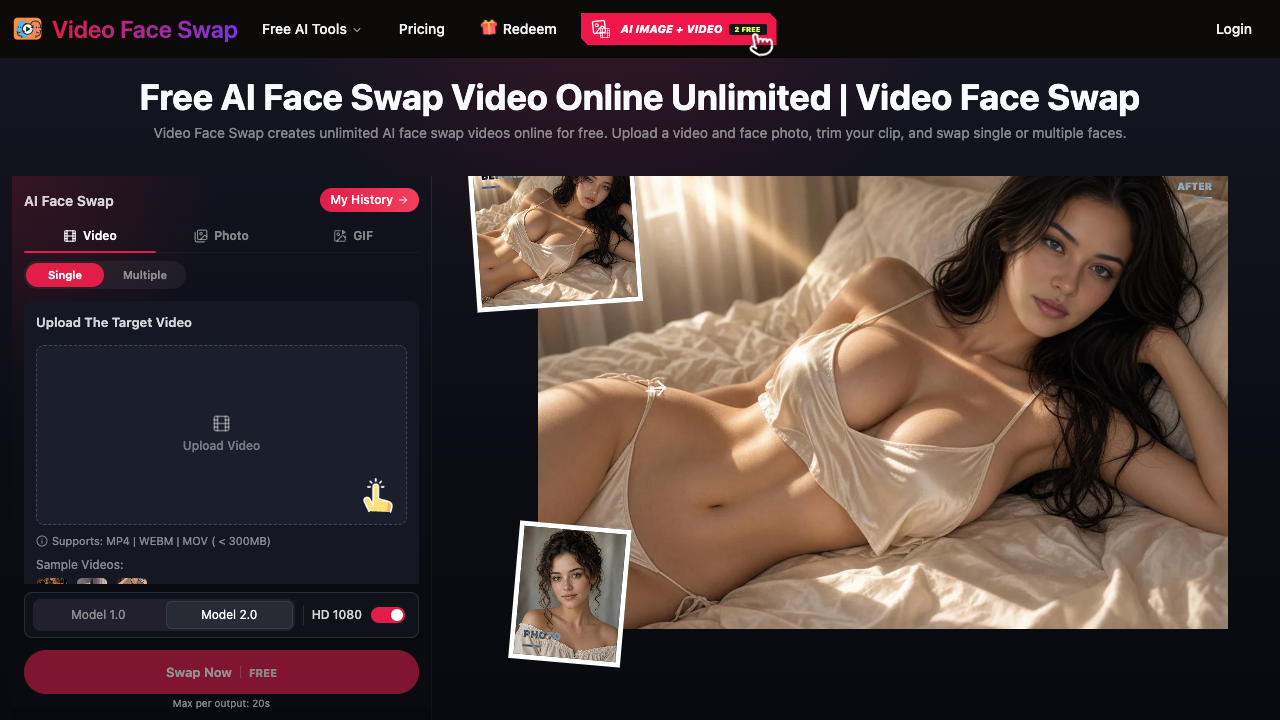
Video Face Swap is a web-based artificial intelligence platform designed to replace faces in video footage with high visual fidelity. Users upload a target video along with a clear replacement portrait photo, and the underlying AI models track and composite the facial features across moving frames. The tool is engineered to support both single-person clips and complex group shots, offering dedicated single and multi-face modes to assign distinct replacement photos to individual people detected in the video. The service operates directly inside modern web browsers without requiring complex software setups or local GPU power. Users can upload MP4, WEBM, or MOV files up to 300MB, then utilize the integrated video trimming tool to pinpoint the exact sequence they want to modify. After choosing between AI models (such as Model 1.0 and Model 2.0) and resolution targets up to HD 1080p, the platform renders the altered clip. An intuitive history dashboard allows users to preview, compare before-and-after results, and download the finished media. Video Face Swap caters to short-form content creators, meme creators, video editors, and marketing teams. Creators on TikTok, Instagram Reels, and YouTube Shorts frequently use it for comedic reaction videos and character swaps, while localization and advertising teams leverage it to evaluate casting and creative directions before spending budget on reshoots. Event organizers also apply multi-face replacement to customize recap videos for team celebrations and personal events. A key differentiator of the platform is its low barrier to entry: prospective users can experiment with generation tools immediately as guests without registering an account. Additionally, its credit-based system ensures that purchased credits never expire and are automatically refunded back to the user's account balance in the event of a failed generation.
Video Face Swap pros & cons
Pros
- Users can generate short test videos as a guest without creating an account.
- Supports multiple face detection and swapping in group video scenes.
- Purchased credits never expire and are automatically refunded if a render fails.
- Uploaded media is not utilized to train artificial intelligence models without consent.
- Built-in timeline trimming allows users to isolate and process only specific scenes.
Cons
- Guest video creations expire and are removed after only two hours.
- Video uploads are restricted to a maximum file size of 300MB.
- Render outputs longer than short preview lengths require purchasing credits.
- Results can look inconsistent if faces in the footage are blurry, turned away, or obstructed.
Video Face Swap use cases
- Short-form video creators can produce parodies, reaction clips, and character swaps for TikTok, YouTube Shorts, and Instagram Reels.
- Marketing and advertising teams can test casting and localized creative ideas before investing in expensive video reshoots.
- Meme and fan-edit creators can swap personalized faces into clips from movies, video games, or television series.
- Community and event planners can customize anniversary, birthday, or team recap videos with multiple face swaps.
- Video editors can prototype alternate casting concepts and storyboard scenes directly within their web browser.
Video Face Swap features
- single-person face replacement mode
- automatic credit refund system for failed renders
- high-definition 1080p video output
- multiple ai engine options including model 1.0 and model 2.0
- support for jpg, png, webp, and heic images up to 20mb
- support for mp4, webm, and mov videos up to 300mb
- in-browser video trimming tools
- multi-face detection and assignment for group videos
Video Face Swap pricing
Is Video Face Swap free? Yes, Video Face Swap has a free plan, and paid plans start at $9.99 / one-time.
800 Credits
$9.99 / one-time
- 800 Credits ($0.0125 per credit)
- Credits never expire
- Automatic credit refund if generation fails
- Access to extended clip processing
- HD 1080p rendering option
2400 Credits
$19.99 / one-time
- 2,400 Credits ($0.0083 per credit)
- Credits never expire
- Automatic credit refund if generation fails
- Most popular package
- HD 1080p rendering option
6000 Credits
$39.99 / one-time
- 6,000 Credits ($0.0067 per credit)
- Credits never expire
- Automatic credit refund if generation fails
- Volume processing for longer video segments
- HD 1080p rendering option
16000 Credits
$99.99 / one-time
- 16,000 Credits ($0.0062 per credit)
- Lowest per-credit rate
- Credits never expire
- Automatic credit refund if generation fails
- High-volume rendering workflows
Free
Free
- Free generation up to 20 to 60 seconds
- Guest access without registration
- Single and multiple face swap modes
- MP4, WEBM, and MOV support up to 300MB
- Creations saved for 2 hours for guests (2 days for logged-in users)
Video Face Swap FAQs
How does Video Face Swap work?
The platform analyzes your uploaded video clip frame by frame and replaces detected faces with facial features from an uploaded target photo. Once processed, you can review and download the output.
Is Video Face Swap free to try?
Yes, the editor provides a free generation tier for video outputs up to 20 to 60 seconds. Longer videos or higher-volume rendering require one-time credit purchases.
Do I need an account to test the face swap tool?
No, you can try free generations as a guest without signing up. Guest creations are saved for two hours, while signing into an account keeps history saved for two days.
What video and photo file formats are supported?
Video uploads accept MP4, WEBM, and MOV formats up to 300MB. Face photos can be JPG, PNG, WEBP, or HEIC images up to 20MB containing a single face.
Can I replace multiple faces in a single video?
Yes. Switch to Multiple mode, choose a clear frame for face detection, and map an individual replacement photo to each detected person before starting generation.
How do credits work and do they expire?
Credits are purchased in prepaid bundles and never expire. If a video generation fails during processing, the expended credits are automatically returned to your account.
Does Video Face Swap use my uploaded media to train AI models?
No. According to the platform's privacy policy, uploaded source media and generated results are not used to train AI models without explicit user consent.
Can I use generated face swap videos commercially?
Commercial use is permitted only if you hold the legal rights and consent for the source footage, replacement photos, and individual likenesses depicted.
Ratings & reviews
No reviews yet. Be the first to share how Video Face Swap worked for you.
Alternatives to Video Face Swap
View all alternatives
Create high-quality, realistic face swaps in videos and photos using advanced 3D reconstruction and 106-point detection for creators and social media users.
Swap faces in animated GIFs, videos, and photos seamlessly with AI facial mapping. Create watermark-free viral memes and social content in just seconds.

Transform videos and photos with photorealistic AI face swaps, 4K upscaling, and professional retouching using a suite of 150+ high-speed creative tools.

Create high-definition face swaps in photos, videos, and GIFs instantly using advanced AI technology with no signup required and professional-grade results.

Replace faces in photos and videos instantly using AI-powered deepfake technology to create realistic memes, social media content, and high-quality face swaps.
Facewix is a mobile application designed for face swapping, enabling users to effortlessly exchange faces with friends, family, or celebrities for entertainment.

Swap faces with celebrities, stylize portraits into cartoons, predict future baby looks, and restore vintage photos with AI photo-processing tools.

Generate high-resolution, realistic face swaps on iPhone with AI that handles profile views and accessories. Ideal for creators, marketers, and fun seekers.
Sponsored tools

Test your knowledge in live multiplayer Jeopardy-style trivia battles with AI-assisted grading that recognizes correct answers even with spelling mistakes.

Connect with engaged niche audiences or monetize your subscriber base through an automated marketplace featuring verified metrics and secure Stripe payments.

Track brand citations and mentions across Google AI Mode, ChatGPT, Claude, and more. Discover top-cited sources and queries with zero signup required.

Monitor brand citations and prompt visibility across Google AI Overviews, ChatGPT, Perplexity, Claude, and Gemini with free 30-day answer engine reports.
Generate cinematic videos with synchronized audio and multi-modal references. Empower creators and marketers to direct consistent characters, action, and sound.

Create 2K AI videos with native stereo audio from text or images. Ideal for creators and marketers seeking rapid, studio-grade visual content production.