

Create hilarious, shareable animated images for social media and messaging by swapping faces in GIFs and videos with high accuracy and zero watermarks.

GIF Face Swap
Swap faces in animated GIFs, videos, and photos seamlessly with AI facial mapping. Create watermark-free viral memes and social content in just seconds.
About GIF Face Swap
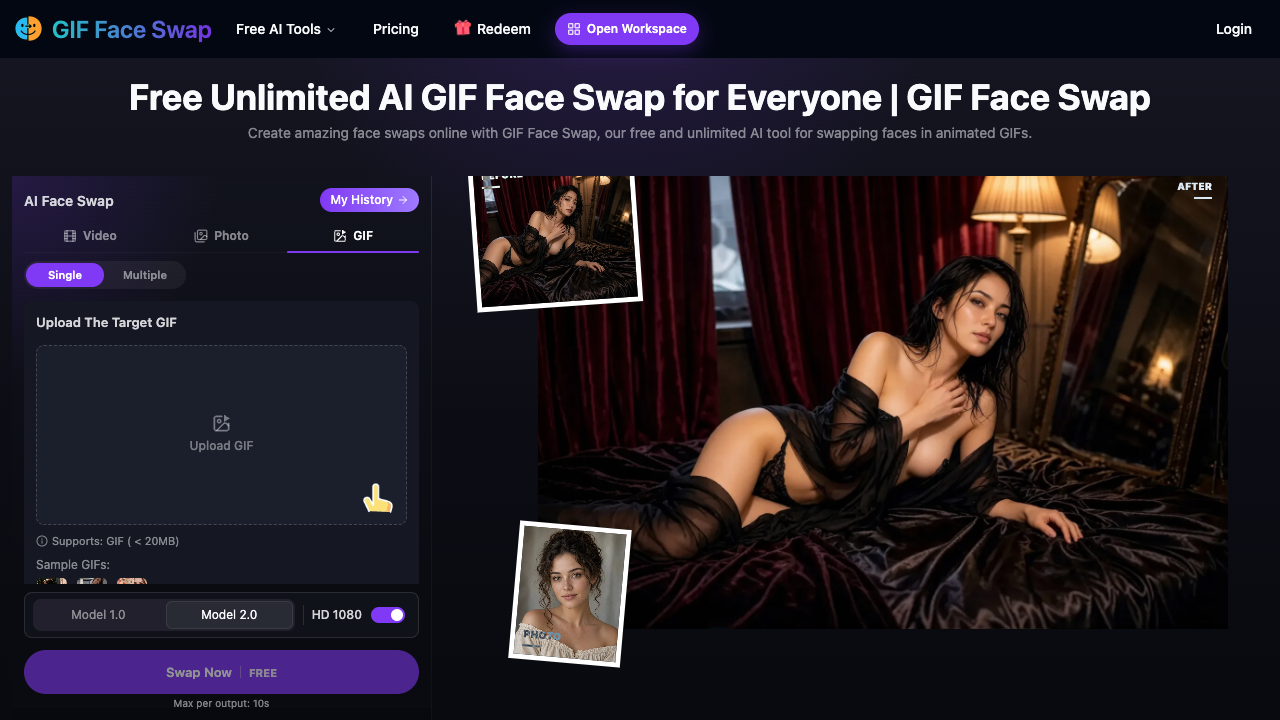
GIF Face Swap is a cloud-based web application designed to replace faces within animated GIFs, video clips, and static images. Using artificial intelligence and facial mapping algorithms, the platform detects facial landmarks and replaces character faces while aiming to preserve expressions, head angles, and ambient lighting conditions from the original source file. Users can process individual face swaps or multiple faces within a single animation without needing local editing software. The workflow is browser-based and requires two main inputs: a target media file (such as a GIF under 20MB or a video) and a replacement face image (supporting JPG, PNG, WEBP, or HEIC formats under 20MB). Users can select between different processing models (Model 1.0 and Model 2.0) and choose output quality settings, including HD 1080p resolution. In addition to single replacements, the tool provides features for multi-face swaps and batch processing, generating animated clips with a maximum duration of up to 10 seconds per output. This platform is primarily suited for digital marketers, meme creators, social media managers, and content creators looking to generate humorous, personalized, or reactive media assets. Community managers can produce customized reaction GIFs for brand channels, while casual users can create personalized novelty clips featuring themselves, friends, or well-known figures. Because the tool operates in the cloud, it accommodates users across various operating systems and devices without taxing local hardware. What distinguishes GIF Face Swap is its dedicated support for animated GIF formats alongside video and photo files. Rather than restricting exports with obtrusive branding, the platform offers watermark-free downloads across its tiers. It also includes an integrated template catalog to jump-start creation without external source searching, alongside a flexible pay-as-you-go credit system where purchased credits never expire and are automatically refunded if an AI generation fails.
GIF Face Swap pros & cons
Pros
- Generates output files with no watermarks.
- Purchased credits never expire and are refunded automatically upon generation failure.
- Supports multi-face swapping as well as batch processing.
- Accepts multiple common image upload formats including WEBP and HEIC up to 20MB.
- Operates entirely in the cloud without requiring local software installations.
Cons
- Maximum clip length is limited to 10 seconds per generated output.
- Target GIF uploads are restricted to files under 20MB.
- Face photo inputs must contain only one face and remain under 20MB.
GIF Face Swap use cases
- Social media managers can generate customized reaction GIFs featuring team members or brand ambassadors to improve audience engagement.
- Meme creators can replace faces in popular animated templates to produce viral content for online communities.
- Digital marketers can craft short animated promotional clips without complex video editing software.
- Casual creators can swap their own or friends' faces onto famous movie and pop-culture moments for personalized messaging.
GIF Face Swap features
- watermark-free downloads
- ai face swapping for animated gifs, videos, and static photos
- automatic credit reimbursement for failed generations
- pre-designed gif template collection for instant swapping
- hd 1080 quality output support
- dual ai engine options featuring model 1.0 and model 2.0
- batch processing for swapping faces across multiple files
- multiple face swap capability for multi-subject scenes
GIF Face Swap pricing
Is GIF Face Swap free? Yes, GIF Face Swap has a free plan, and paid plans start at $9.99 / one-time.
800 Credits
$9.99 / one-time
- 800 credits ($0.0125 per credit)
- Credits never expire
- Automatic refund on failed generations
- HD 1080 export option
- No watermarks
- Max 10s per output
2400 Credits
$19.99 / one-time
- 2400 credits ($0.0083 per credit)
- Credits never expire
- Automatic refund on failed generations
- HD 1080 export option
- Batch face swap processing
- No watermarks
6000 Credits
$39.99 / one-time
- 6000 credits ($0.0067 per credit)
- Most popular package
- Credits never expire
- Automatic refund on failed generations
- HD 1080 export option
- No watermarks
16000 Credits
$99.99 / one-time
- 16000 credits ($0.0062 per credit)
- Lowest per-credit rate
- Credits never expire
- Automatic refund on failed generations
- HD 1080 export option
- Batch and multi-face swapping
Free
Free
- Free AI generation mode
- Single face swap support
- Up to 10s output duration
- Access to template library
- Watermark-free results
GIF Face Swap FAQs
What file formats and upload sizes are supported?
Target GIFs must be under 20MB in size. Replacement face photos support JPG, PNG, WEBP, and HEIC files under 20MB with a single face visible.
Do purchased credits expire?
No, purchased credits never expire. If an image or GIF generation fails, the system automatically returns the credits to your balance.
What is the maximum duration of a generated GIF or video?
GIF Face Swap supports a maximum output duration of up to 10 seconds per clip.
Are watermarks added to downloaded content?
No, generated GIFs and media files can be downloaded without watermarks.
Can the tool replace multiple faces in the same GIF?
Yes, the platform includes both single and multiple face swap modes to handle scenes containing more than one person.
Ratings & reviews
No reviews yet. Be the first to share how GIF Face Swap worked for you.
Alternatives to GIF Face Swap
View all alternatives
Create high-quality, realistic face swaps in videos and photos using advanced 3D reconstruction and 106-point detection for creators and social media users.
Swap single or multiple faces in video clips online with AI. Trim footage, replace characters for social media or casting, and test ideas without signing up.

Transform videos and photos with photorealistic AI face swaps, 4K upscaling, and professional retouching using a suite of 150+ high-speed creative tools.

Create high-definition face swaps in photos, videos, and GIFs instantly using advanced AI technology with no signup required and professional-grade results.

Replace faces in photos and videos instantly using AI-powered deepfake technology to create realistic memes, social media content, and high-quality face swaps.
Facewix is a mobile application designed for face swapping, enabling users to effortlessly exchange faces with friends, family, or celebrities for entertainment.

Swap faces with celebrities, stylize portraits into cartoons, predict future baby looks, and restore vintage photos with AI photo-processing tools.

Generate high-resolution, realistic face swaps on iPhone with AI that handles profile views and accessories. Ideal for creators, marketers, and fun seekers.
Sponsored tools

Test your knowledge in live multiplayer Jeopardy-style trivia battles with AI-assisted grading that recognizes correct answers even with spelling mistakes.

Connect with engaged niche audiences or monetize your subscriber base through an automated marketplace featuring verified metrics and secure Stripe payments.

Track brand citations and mentions across Google AI Mode, ChatGPT, Claude, and more. Discover top-cited sources and queries with zero signup required.

Monitor brand citations and prompt visibility across Google AI Overviews, ChatGPT, Perplexity, Claude, and Gemini with free 30-day answer engine reports.
Generate cinematic videos with synchronized audio and multi-modal references. Empower creators and marketers to direct consistent characters, action, and sound.

Create 2K AI videos with native stereo audio from text or images. Ideal for creators and marketers seeking rapid, studio-grade visual content production.