

Enhance photos instantly using a free AI-powered suite for object removal, background generation, and image upscaling tailored for creators and e-commerce.

Pixlio AI
Generate high-quality visuals from text and perform complex photo edits automatically with an all-in-one platform built for creators and e-commerce brands.
About Pixlio AI
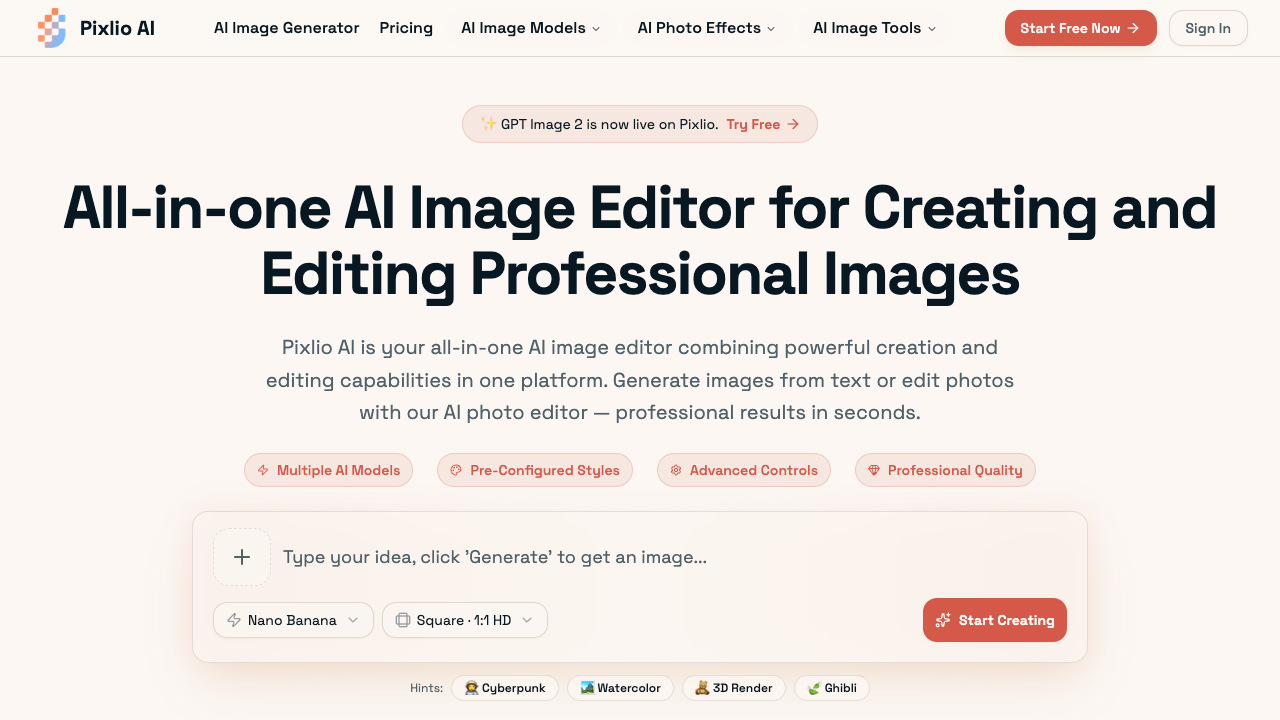
Pixlio AI serves as a comprehensive web-based platform that merges generative artificial intelligence with intelligent image editing tools. Rather than requiring users to jump between separate applications for creating assets and editing existing photographs, this software unifies these workflows into a single interface. Users can produce entirely new graphics from plain-text descriptions or upload their own images to execute complex manipulations, such as background replacement and text editing, using advanced generative models. In practice, the platform functions through a credit-based system and leverages several advanced models like GPT Image 2, Nano Banana, Qwen Image, and Seedream. Users can select specific models and pre-configured styles—such as Studio Ghibli anime, Pixar 3D animation, pixel art, or photorealism—to match their visual goals. The editing suite enables precise operations including pixel-perfect background removal, context-aware object addition or deletion, and professional typography overlays. Advanced customization options like negative prompts, seed values, aspect ratio adjustments, and high-resolution exports (PNG, JPG) give users granular control over their final assets. The platform is engineered for a diverse range of professionals, including e-commerce sellers, marketing teams, and digital content creators. For online store owners, the software helps produce clean lifestyle shots and product displays without the overhead of physical photoshoots. Marketers can quickly scale campaign visual assets, customize stock photography to align with brand guidelines, and generate seasonal variations. Solo creators and design teams can leverage the intuitive, browser-based interface to bypass traditional design software learning curves, accelerating their production timelines. What sets Pixlio AI apart from traditional graphic design software is its deep integration of context-aware artificial intelligence. Instead of manually utilizing lasso tools, layers, or complex brush paths, users instruct the AI in plain language to carry out demanding edits, with most processes completing in under 45 seconds. Furthermore, the combination of multiple text-to-image generators alongside a utility editor removes the need to maintain multiple software subscriptions, offering a unified hub with commercial usage rights for all paid outputs.
Pros & cons
Pros
- Combines text-to-image generation and advanced editing tools in a single interface.
- Allows flexible pay-as-you-go credit packs in addition to monthly subscription plans.
- Enables precise context-aware editing operations including background removal and text manipulation.
- Grants full commercial usage rights for all images created or edited using paid credits.
- Requires no learning curve or software downloads as it operates entirely in web browsers.
Cons
- Unused monthly credits from subscription plans do not roll over to the next billing cycle.
- Basic tier subscription limits image creation storage to six months instead of one year.
- Free trial is restricted to basic complimentary credits and requires upgrading for high-volume use.
- Refunds are strictly limited to 7 days from purchase and are only valid if under 30% of credits are used.
Use cases
- E-commerce sellers can generate lifestyle product images and replace backgrounds without expensive photoshoots, saving budget and driving conversions.
- Marketing teams can scale visual assets, customize stock photography to match brand guidelines, and add promotional text overlays quickly.
- Content creators can easily remove backgrounds to generate transparent PNGs and create eye-catching social media thumbnails.
- Solo designers can use pre-configured styles like Studio Ghibli or Pixar 3D to quickly draft creative illustrations without manual drawing.
Features
- ai image generation
- commercial usage rights
- high-resolution outputs
- browser-based convenience
- fast processing under 20 seconds
- advanced customization control
- professional styles and presets
- intelligent photo editing
Pricing
Basic (Annual)
$13.50 / month
- 750 credits per month
- All upcoming AI editing tools
- All AI art styles
- No watermark
- 6-month storage
- Manage all creations in one place
- 15% off all credit packs
- Commercial use
- Private generation
- Email support
Pro (Annual)
$23.90 / month
- 2,000 credits per month
- All upcoming AI editing tools
- All AI art styles
- No watermark
- 1 year storage
- Manage all creations in one place
- Unlimited image-to-prompt & describer tools
- Pro-tier AI models in select tools
- 15% off all credit packs
- Commercial use
Max (Annual)
$41.90 / month
- 5,500 credits per month
- All upcoming AI editing tools
- All AI art styles
- No watermark
- 1 year storage
- Manage all creations in one place
- Unlimited image-to-prompt & describer tools
- Pro-tier AI models in select tools
- 15% off all credit packs
- Commercial use
Growth Pack
$49.90 / one-time
- 2,000 credits
- Credits valid for 6 months
- All upcoming AI editing tools
- All AI art styles
- No watermark
- 6-month storage
- Manage all creations in one place
- Commercial use
- Private generation
Free Plan
Free
- Free complimentary credits
- No credit card required
- Access to generation and editing tools
FAQs
What is an AI image editor?
An AI image editor is a tool that uses artificial intelligence to both create new images from text descriptions and edit existing photos intelligently. Pixlio AI combines generative AI models for image creation with intelligent editing algorithms for photo manipulation inside one platform.
Can I both create and edit images with Pixlio AI?
Yes, Pixlio AI is a comprehensive platform where you can generate original images from text prompts using models like Nano Banana and Seedream, and also upload your own photos for AI-powered editing.
What editing features does your AI image editor include?
Our image editor includes background removal and replacement, text addition and removal, object manipulation, scene changes, style transfers, quality enhancement, and color adjustments.
Do I get free credits when I sign up?
Yes, every new user receives complimentary credits to try both image creation and editing features. No credit card is required to explore our AI image editor risk-free.
How is this different from Photoshop or Canva?
Unlike traditional tools, Pixlio AI uses artificial intelligence to understand your intent and execute complex edits automatically from plain language commands. It also includes built-in generative models.
Can I use edited images commercially?
Yes, all images created or edited on Pixlio AI using paid credits come with commercial usage rights. You can freely use them in your business, client projects, products, and marketing materials.
What is the refund policy?
Refunds are available within 7 days of purchase if you have used less than 30% of your credits. This policy applies to both subscription plans and credit packs.
Do subscription credits roll over?
No, unused monthly credits from subscription plans do not roll over to the next month. Be sure to use them before your current billing cycle renews.
How are credits prioritized if I have both a subscription and top-up credits?
When you have both subscription credits and top-up credits, your top-up credits will be used first. Once those are depleted, the system will deduct from your subscription credits.
Ratings & reviews
No reviews yet. Be the first to share how Pixlio AI worked for you.
Alternatives to Pixlio AI
View all alternatives
A free AI-powered background remover tool for images.

Edit and enhance photos using natural language prompts while maintaining character consistency and scene structure for professional marketing and digital art.

Edit, transform, and enhance photos using natural language prompts to maintain character consistency, swap styles, or modify specific regions without complex software.
Generate lossless 4K visuals and transparent PNGs in seconds with a reasoning-first AI studio designed for professional creative teams and brand agencies.

Transform images with precision using AI-powered tools designed for creators to handle everything from professional headshots to complex character pose changes.

RetouchAI is an iOS app that allows you to create high-quality images with the help of AI, offering generation, outpainting, inpainting, and erasing functionalities.

Process and edit images for free with a comprehensive online toolkit featuring background removal, compression, and conversion tools for creators and professionals.

Turn everyday photos into artistic masterpieces or cartoon portraits with AI-powered 3D face tracking, automatic retouching, and over 1,000 creative filters.
Sponsored tools

Test your knowledge in live multiplayer Jeopardy-style trivia battles with AI-assisted grading that recognizes correct answers even with spelling mistakes.

Connect with engaged niche audiences or monetize your subscriber base through an automated marketplace featuring verified metrics and secure Stripe payments.

Monitor brand citations and prompt visibility across Google AI Overviews, ChatGPT, Perplexity, Claude, and Gemini with free 30-day answer engine reports.
Generate cinematic videos with synchronized audio and multi-modal references. Empower creators and marketers to direct consistent characters, action, and sound.

Create 2K AI videos with native stereo audio from text or images. Ideal for creators and marketers seeking rapid, studio-grade visual content production.

Generate marketing videos, AI avatars, and multi-language translations from prompts, images, or product links without any filming or manual editing.

Detect and strip hidden AI Unicode markers and rewrite sentences to eliminate statistical ChatGPT watermarks for writers, students, and content creators.