
Transform ideas into viral short-form videos in minutes with AI agents that handle storyboarding, voicing, and character consistency for creators and marketers.

Seedance 3.0
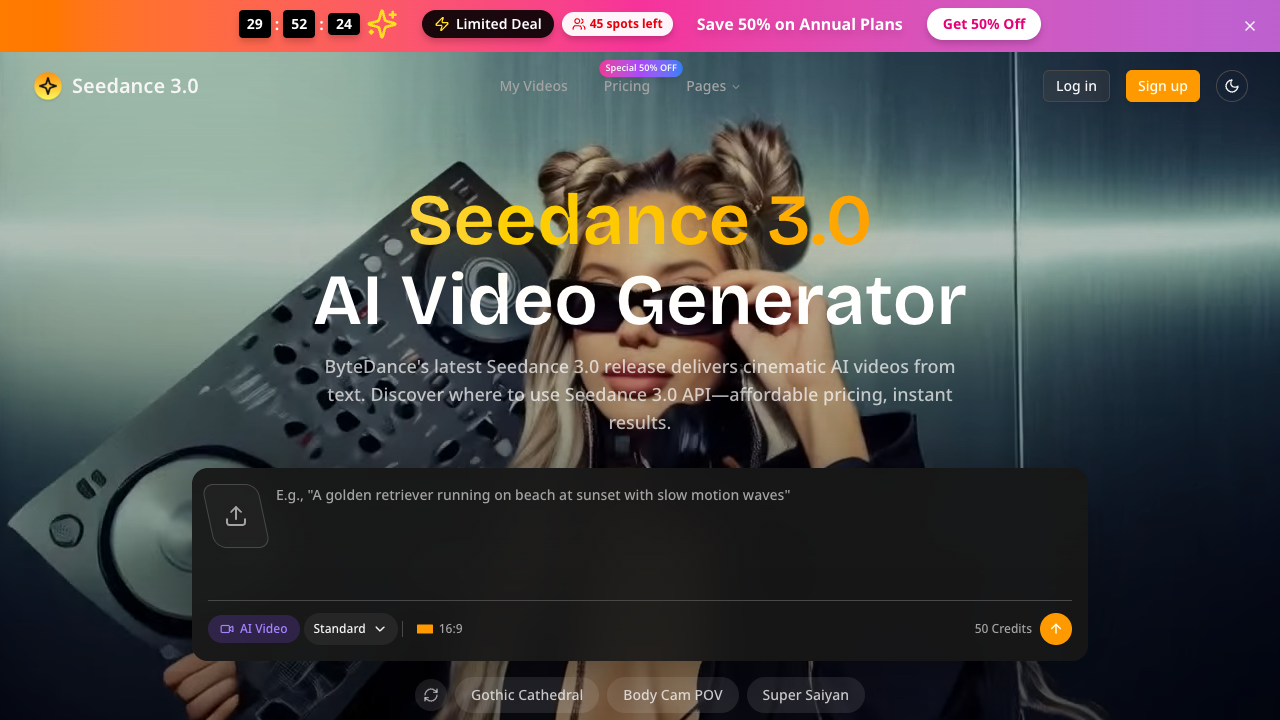
Transform text descriptions into cinematic 4K videos instantly with ByteDance's advanced AI, offering professional-grade visuals for creators and marketing teams.
Starting at
$4.90/month (billed annually)
About Seedance 3.0
Seedance 3.0 is a next-generation AI video generation platform designed to transform natural language descriptions into professional-grade cinematic content. Developed using ByteDance's advanced AI models, the tool simplifies the complex process of video production, allowing users to create high-fidelity visuals without specialized hardware or years of training. Its primary purpose is to empower creators by providing a bridge between conceptual ideas and ready-to-publish video assets, focusing on high resolution and broadcast fidelity for social media and professional broadcasting. The platform operates through a streamlined three-step workflow that includes describing the scene, generating the content, and downloading the final file. In practice, users enter prompts like 'cinematic drone view' or 'product cooling shot,' and the AI produces alternative versions in seconds. Key technical features include a priority generation queue for faster processing, an AI video upscaler to enhance quality, and frame interpolation for smoother motion. For advanced users, the Pro and Ultra plans offer API access, enabling the integration of Seedance's generation capabilities into automated enterprise workflows. Seedance 3.0 is best suited for social media managers, marketing agencies, and independent content creators who need to produce high-quality video advertisements or visual assets quickly. It also serves as a powerful tool for studios that require rapid prototyping or background visuals for larger projects. Because it handles the entire rendering and creative process via the cloud, it is accessible to anyone with a web browser, making it ideal for teams looking to scale their content output without increasing production budgets. What distinguishes Seedance 3.0 from other AI video tools is its direct lineage to ByteDance's cutting-edge research and its emphasis on broadcast-ready 4K resolution. Unlike many competitors that struggle with consistency, Seedance focuses on providing 'what you see is what you publish' quality. The platform also offers robust commercial licensing options and private generation modes, which are essential for professional users who need to protect their intellectual property while ensuring their content is legal for widespread commercial distribution.
Seedance 3.0 pros & cons
Pros
- Supports 4K resolution with broadcast fidelity for professional publishing.
- Includes API access for Pro and Ultra users to automate video workflows.
- Provides a commercial use license for annual subscribers and Ultra plan users.
- Features advanced enhancement tools like frame interpolation and an upscaler.
- Offers private generation and copy protection to secure user creations.
Cons
- Commercial usage rights are restricted to annual billing cycles or the highest tier.
- Advanced features like API access are unavailable on the entry-level Basic plan.
- The video upscaler and interpolation tools are primarily yearly-only features for lower tiers.
- Credit costs per generation vary significantly depending on the subscription level.
Seedance 3.0 use cases
- Social media managers can generate high-quality video ads and reels from text prompts, eliminating the need for expensive film equipment.
- Marketing agencies can use the batch generation and API access to produce personalized video content for clients at scale.
- Content creators can prototype cinematic scenes or background visuals for digital projects using natural language descriptions.
- Small business owners can create professional product showcase videos without hiring a dedicated video production team.
- Studios can utilize the dedicated support and high credit limits of the Ultra plan to integrate AI video into professional production pipelines.
Seedance 3.0 features
- text-to-video generation
- ai video upscaler
- priority generation queue
- commercial use licensing
- batch video processing
- frame interpolation
- api accessibility
- 4k broadcast resolution
Seedance 3.0 pricing
Is Seedance 3.0 free? No, Seedance 3.0 doesn't offer a free plan; pricing starts at $4.90 / month (billed annually).
Basic
$4.90 / month (billed annually)
- 4,800 Credits per year
- 1080p HD Quality
- No Watermark
- Private Generations
- Copy Protection
- Batch Generation
- Priority Queue
- Commercial Use (Yearly Only)
Pro
$19.95 / month (billed annually)
- 57,600 Credits per year
- API Access
- 1080p HD Quality
- No Watermark
- Private Generations
- Batch Generation
- Priority Queue
- Commercial Use (Yearly Only)
Ultra
$99.95 / month (billed annually)
- 360,000 Credits per year
- API Access
- Dedicated Support
- Commercial Use License
- 4K Resolution Downloads
- Free Video Upscaler
- Free Frame Interpolation
- Private Generations
Seedance 3.0 FAQs
What resolution does Seedance 3.0 support?
Seedance 3.0 supports high-definition video production, with downloads available in up to 4K resolution for professional use. The Basic plan typically provides 1080p HD quality, while higher tiers focus on broadcast-ready fidelity.
Can I use the generated videos for commercial purposes?
Commercial use licenses are available but come with specific requirements. Users must be on an annual billing cycle for the Basic and Pro plans, or be subscribed to the Ultra plan to legally use content commercially.
How does the credit system work?
Users receive an annual allocation of credits based on their plan, such as 4,800 credits for Basic or 360,000 for Ultra. These credits are spent during the generation process to create images and video clips.
Is there an API available for developers?
Yes, Seedance 3.0 provides API access for its Pro and Ultra subscribers. This allows studios and developers to integrate cinematic AI video generation directly into their own applications or automated workflows.
Do I need prior video editing experience?
No experience is required as the tool uses an intuitive text-to-video interface. Users simply describe their vision in plain English, and the AI handles all aspects of design and rendering.
Ratings & reviews
No reviews yet. Be the first to share how Seedance 3.0 worked for you.
Alternatives to Seedance 3.0
View all alternatives
Convert static images and photos into watermark-free HD MP4 videos with custom motion, ready-to-use templates, and multi-model AI generation.

Generate 30-second 4K cinematic AI videos with advanced multimodal reference stacks and 3D camera blocking for filmmakers, advertisers, and creative teams.

Turn text prompts or static images into professional 4K videos with synchronized audio and realistic motion using advanced multimodal generative AI technology.

Generate cinematic 1080p HD videos with synchronized audio using a native multimodal AI framework designed for professional creators and research teams.

Transform scripts into animated AI videos with consistent characters, realistic voices, and auto-subtitles. Perfect for creators, marketers, and educators.

Produce high-performing AI video ads and creator-led UGC in minutes using lifelike avatars, URL-to-video conversion, and automated script generation for brands.

Create professional AI videos with lifelike avatars and natural voiceovers in minutes. Ideal for marketers and teams looking to scale content in 175+ languages.

Generate complete how-to videos from simple text prompts using an open-source tool that automates scripting, narration, video generation, and background music.
Sponsored tools

Test your knowledge in live multiplayer Jeopardy-style trivia battles with AI-assisted grading that recognizes correct answers even with spelling mistakes.

Connect with engaged niche audiences or monetize your subscriber base through an automated marketplace featuring verified metrics and secure Stripe payments.

Swap characters, backgrounds, or styles in any video while preserving original motion and camera paths. Perfect for digital marketers and creators.

Track brand citations and mentions across Google AI Mode, ChatGPT, Claude, and more. Discover top-cited sources and queries with zero signup required.