
Transform ideas into viral short-form videos in minutes with AI agents that handle storyboarding, voicing, and character consistency for creators and marketers.

Seedance 2.0
Generate broadcast-quality 4K videos from simple text prompts with precise text rendering, high-fidelity visuals, and batch processing for content creators.
Starting at
$9.80/mo
About Seedance 2.0
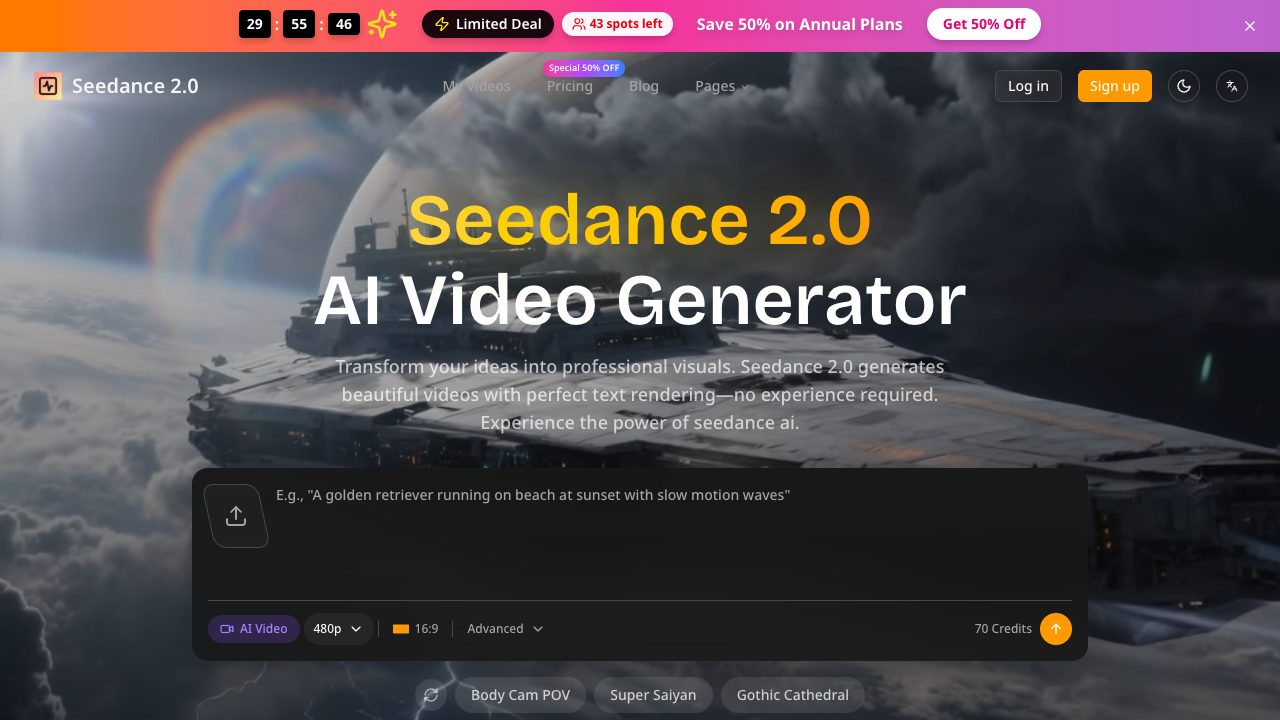
Seedance 2.0 is an AI-powered video generation platform designed to simplify the creation of professional-grade visual content. By leveraging advanced generative models, it allows users to convert text descriptions into high-quality videos without the need for traditional editing skills or expensive production hardware. The platform's primary goal is to make cinematic video production accessible to everyone, from solo content creators to large-scale marketing agencies, by providing a streamlined interface that handles the complexities of rendering and animation. The core workflow follows a simple three-step process: describe, generate, and download. Users provide natural language prompts, such as "cinematic drone view" or "product cooling shot," and the AI interprets these to create stunning visuals in seconds. One of the standout technical capabilities of Seedance 2.0 is its focus on accurate text rendering within videos, which is a common challenge for most AI generators. Furthermore, higher-tier plans offer advanced tools like batch generation, private generations to keep content secure, and dedicated video upscalers to reach 4K or 1080p broadcast-ready resolutions. This tool is particularly well-suited for solo creators focused on short-form video content for social media, as well as creative agencies and production studios that require a high volume of assets. Because it offers commercial use licenses and priority queuing on paid plans, it serves as a reliable asset for business environments. Its intuitive nature also makes it an ideal choice for marketers who need to produce rapid alternatives or mockups for client presentations without committing to a full video shoot or complex post-production software. What distinguishes Seedance 2.0 from other AI video generators is its combination of broadcast-ready fidelity and user accessibility. While competitors might require complex parameters or seed values, Seedance emphasizes a no tutorials needed approach while still delivering output suitable for professional use. The inclusion of API access for developers and built-in frame interpolation tools ensures that the platform is not just a creative toy, but a robust production tool capable of integrating into existing enterprise workflows and scaling production demands through automated batching.
Seedance 2.0 pros & cons
Pros
- Supports broadcast-ready 4K resolution output for professional media environments.
- Features an intuitive three-step workflow that requires no prior video editing experience.
- Includes a dedicated video upscaler and frame interpolation on yearly plans.
- Provides API access for developers on Pro and Ultra subscription tiers.
- Allows users to generate videos from natural language prompts without complex manual settings.
Cons
- Commercial use licenses are exclusively available on yearly billing cycles for Basic and Pro plans.
- Access to the advanced video upscaler and frame interpolation is restricted to annual subscribers.
- Advanced technical features like API access and custom enterprise service require higher-tier plans.
- The 30-day money-back guarantee is only mentioned in the context of specific annual holiday offers.
Seedance 2.0 use cases
- Solo content creators can generate dozens of short-form social media videos monthly using simple text prompts, saving hours of manual editing.
- Marketing agencies can leverage batch generation and API access to produce high volumes of client assets and mockups quickly.
- Creative studios can use the 4K rendering and frame interpolation tools to produce broadcast-ready visual effects for professional projects.
- Social media managers can utilize the text-to-video feature to create engaging visual posts with accurate text rendering for brand messaging.
- Businesses needing privacy can use the Private Generations feature to ensure their internal video concepts remain confidential during production.
Seedance 2.0 features
- api access
- text-to-video generation
- ai video upscaler
- commercial use license
- batch video processing
- 4k resolution rendering
- private generations
- frame interpolation
Seedance 2.0 pricing
Is Seedance 2.0 free? No, Seedance 2.0 doesn't offer a free plan; pricing starts at $9.80 / month.
Basic
$9.80 / month
- Up to 60 videos per month
- 9,600 Credits per year
- Commercial Use License (Yearly Only)
- Priority Queue
- No Watermark
- 1080p HD Quality
- Private Generations
- Free Video Upscaler (Yearly Only)
- Free Frame Interpolation (Yearly Only)
- Batch Generation
Pro
$19.95 / month
- Up to 350 videos per month
- 57,600 Credits per year
- Commercial Use License (Yearly Only)
- Priority Queue
- 1080p HD Quality
- Batch Generation
- Private Generations
- API Access
- Free Video Upscaler (Yearly Only)
- Free Frame Interpolation (Yearly Only)
Ultra
$99.95 / month
- Up to 2,000 videos per month
- 360,000 Credits per year
- Commercial Use License
- Priority Queue
- No Watermark
- 1080p HD Quality
- Batch Generation
- API Access
- Free Video Upscaler
- Dedicated Support
Seedance 2.0 FAQs
What resolution does Seedance 2.0 support?
The tool supports high-definition output including 1080p HD and up to 4K resolution on specific plans. This ensures that generated content is suitable for professional social media, web, and broadcast platforms.
Can I use the videos commercially?
Yes, commercial use licenses are included in the yearly plans for the Basic and Pro tiers and are standard in the Ultra plan. This allows creators and agencies to use the content for business projects and client work.
Is there an API available for developers?
Seedance 2.0 offers API access for developers and teams on the Pro and Ultra plans. This allows for the seamless integration of AI video generation capabilities into custom applications or automated workflows.
Do I need video editing skills to use the platform?
No, the platform is designed with an intuitive interface that requires no tutorials or complex settings. Users simply describe their vision in plain language to generate professional visuals.
Does Seedance 2.0 allow for batch processing?
Yes, batch generation is available on all paid plans, enabling users to process multiple video requests simultaneously. This feature is specifically designed for agencies and studios that need to scale production.
Ratings & reviews
No reviews yet. Be the first to share how Seedance 2.0 worked for you.
Alternatives to Seedance 2.0
View all alternatives
Convert static images and photos into watermark-free HD MP4 videos with custom motion, ready-to-use templates, and multi-model AI generation.

Generate 30-second 4K cinematic AI videos with advanced multimodal reference stacks and 3D camera blocking for filmmakers, advertisers, and creative teams.

Turn text prompts or static images into professional 4K videos with synchronized audio and realistic motion using advanced multimodal generative AI technology.

Generate cinematic 1080p HD videos with synchronized audio using a native multimodal AI framework designed for professional creators and research teams.

Transform scripts into animated AI videos with consistent characters, realistic voices, and auto-subtitles. Perfect for creators, marketers, and educators.

Produce high-performing AI video ads and creator-led UGC in minutes using lifelike avatars, URL-to-video conversion, and automated script generation for brands.

Create professional AI videos with lifelike avatars and natural voiceovers in minutes. Ideal for marketers and teams looking to scale content in 175+ languages.

Generate complete how-to videos from simple text prompts using an open-source tool that automates scripting, narration, video generation, and background music.
Sponsored tools

Test your knowledge in live multiplayer Jeopardy-style trivia battles with AI-assisted grading that recognizes correct answers even with spelling mistakes.

Connect with engaged niche audiences or monetize your subscriber base through an automated marketplace featuring verified metrics and secure Stripe payments.

Swap characters, backgrounds, or styles in any video while preserving original motion and camera paths. Perfect for digital marketers and creators.

Track brand citations and mentions across Google AI Mode, ChatGPT, Claude, and more. Discover top-cited sources and queries with zero signup required.