
Generate and retouch photos effortlessly online with free AI image generators, background removers, inpainting, object removal, and 4x upscaling tools.

AI Image Editor
Edit, transform, and enhance photos using natural language prompts to maintain character consistency, swap styles, or modify specific regions without complex software.
Free plan available
$9.99/mo
About AI Image Editor
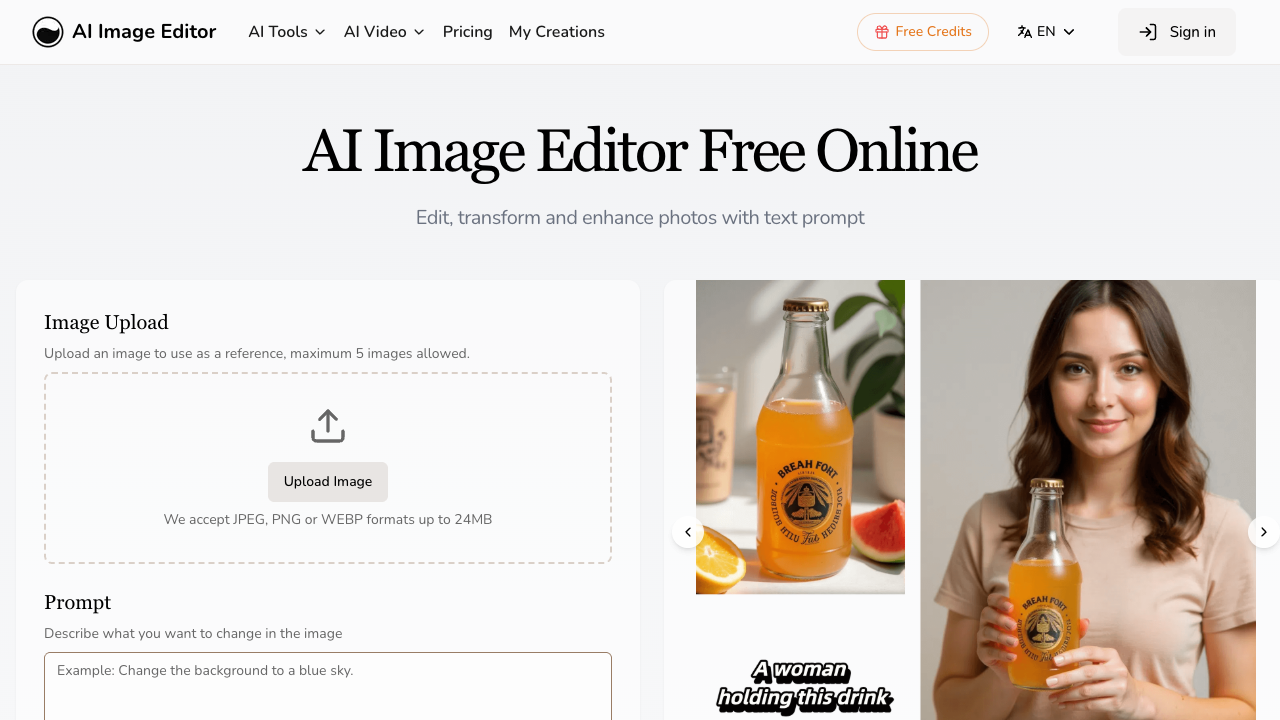
AI Image Editor is a web-based platform that allows users to modify and transform existing photographs through text-based instructions. Unlike standard generative tools that create images from scratch, this system focuses on image-to-image transformations, ensuring that the core structure, composition, and identity of the original photo remain intact. Users can upload up to five reference images and use specific prompts to alter poses, change outfits, or update backgrounds while the AI preserves the character's facial features and proportions. The tool operates on three distinct models: Turbo, Pro, and Max. The Turbo model focuses on speed and high consistency for single images, while the Pro and Max models offer better image fusion and 4K output for complex edits. Key capabilities include Precision Region Control, which allows for targeted modifications like changing eye color or replacing a sky without affecting the rest of the image. It also features a Text Editing tool for inserting crisp typography into images and Style Transfer to recreate photos using specific textures or color palettes from reference files. This platform is designed for professional creators, marketing teams, and hobbyists who need rapid iterations for commercial projects. Since the editor handles complex tasks like character consistency and background removal automatically, it serves as an alternative to traditional graphic design software for those without deep technical skills. For social media managers and brand specialists, it provides a way to maintain visual continuity across multiple marketing assets without needing a full photoshoot for every scene change. What sets AI Image Editor apart is its focus on structure preservation and character continuity. While many generative tools struggle with keeping the same face across different environments, this editor is optimized for maintaining visual continuity. Additionally, the inclusion of commercial usage rights for paid subscribers and the ability to process high-resolution 4K outputs makes it a viable tool for professional workflows rather than just casual experimentation.
AI Image Editor pros & cons
Pros
- Maintains character facial features and proportions across different poses and backgrounds.
- Offers high-resolution 4K output on the Max model for professional-quality results.
- Supports precise pixel-level editing for specific regions like eyes, skies, or logos.
- Allows for the upload of up to five reference images for better style and character fusion.
- Includes full commercial usage rights for all paid subscription tiers.
Cons
- Credits for both subscriptions and extra packs expire at the end of each billing cycle.
- Does not offer any refunds for unused credits or user dissatisfaction with results.
- Free plan does not include rights for the commercial use of generated images.
- Strict prohibition on all NSFW or adult content creation across all plans.
AI Image Editor use cases
- Social media managers can maintain brand characters across various backgrounds and outfits for consistent marketing campaigns.
- Product photographers can use the style transfer feature to apply consistent lighting and textures to different product shots.
- Graphic designers can insert naturally integrated text into photos for captions or branding without manual masking.
- E-commerce owners can transform amateur product photos into professional-grade assets using specific background and style prompts.
- Storyboard artists can generate consistent character scenes for visual storytelling by altering poses while keeping the same facial structure.
AI Image Editor features
- commercial usage rights
- style transfer
- character consistency
- precision region control
- multi-model selection (turbo/pro/max)
- 4k output resolution
- intelligent structure preservation
- text editing in images
AI Image Editor pricing
Is AI Image Editor free? Yes, AI Image Editor has a free plan, and paid plans start at $9.99 / month.
Free
Free
- Monthly transformation allowance
- Standard processing
- Community support
- Personal use only
Hobby
$9.99 / month
- 100 Credits, reset monthly
- 30-day history
- 4 running jobs at once
- Priority generation queue
- Commercial License
Basic
$15.99 / month
- 300 Credits, reset monthly
- 60-day history
- 4 running jobs at once
- Priority generation queue
- Commercial License
Pro
$31.99 / month
- 600 Credits, reset monthly
- 100-day history
- 4 running jobs at once
- Priority generation queue
- Commercial License
AI Image Editor FAQs
What makes AI Image Editing different from Text-to-Image generation?
AI Image Editing transforms existing images while preserving their core structure and composition. Unlike generative models that build from zero, this technology understands and maintains your image's context while applying precise modifications.
What happens when I run out of credits?
Subscription quotas automatically reset at the start of each billing cycle. If you need more credits before the reset, you can purchase additional credit packs for immediate use.
Can I use transformed images for commercial purposes?
Yes, all paid subscribers receive full commercial usage rights for all transformed images. This makes the tool suitable for marketing, advertising, and various business applications.
How long are my credits valid?
Subscription credits reset monthly on your billing date and do not roll over. Credits from purchased packs have the same validity period as your current subscription and will expire on the next billing date.
What file formats and sizes are supported for uploads?
The platform supports JPEG, PNG, GIF, and WEBP formats. Files can be up to 20MB in size and 4096 x 4096 pixels in resolution for processing.
Ratings & reviews
No reviews yet. Be the first to share how AI Image Editor worked for you.
Alternatives to AI Image Editor
View all alternatives
Create, edit, and enhance visual assets in seconds with an all-in-one AI photo editor featuring background removal, uncropping, and batch workflows.

Generate high-quality visuals from text and perform complex photo edits automatically with an all-in-one platform built for creators and e-commerce brands.

Edit and enhance photos using natural language prompts while maintaining character consistency and scene structure for professional marketing and digital art.
Edit and generate professional-grade images using natural language commands with advanced multi-image fusion, character consistency, and high-quality 4K output.
Gempix2 AI is a free online AI photo and image editor, powered by NanoBanana 2 technology, offering advanced tools for professional-quality visual transformations.

Transform images with precision using AI-powered tools designed for creators to handle everything from professional headshots to complex character pose changes.

Process and edit images for free with a comprehensive online toolkit featuring background removal, compression, and conversion tools for creators and professionals.

Turn everyday photos into artistic masterpieces or cartoon portraits with AI-powered 3D face tracking, automatic retouching, and over 1,000 creative filters.
Sponsored tools

Test your knowledge in live multiplayer Jeopardy-style trivia battles with AI-assisted grading that recognizes correct answers even with spelling mistakes.

Connect with engaged niche audiences or monetize your subscriber base through an automated marketplace featuring verified metrics and secure Stripe payments.

Swap characters, backgrounds, or styles in any video while preserving original motion and camera paths. Perfect for digital marketers and creators.

Track brand citations and mentions across Google AI Mode, ChatGPT, Claude, and more. Discover top-cited sources and queries with zero signup required.