
Transform ideas into viral short-form videos in minutes with AI agents that handle storyboarding, voicing, and character consistency for creators and marketers.

CrePal
Create professional videos from text or PDFs using an AI agent that automates scripting, visuals, and editing across multiple world-class generation models.
Starting at
$19/mo
About CrePal
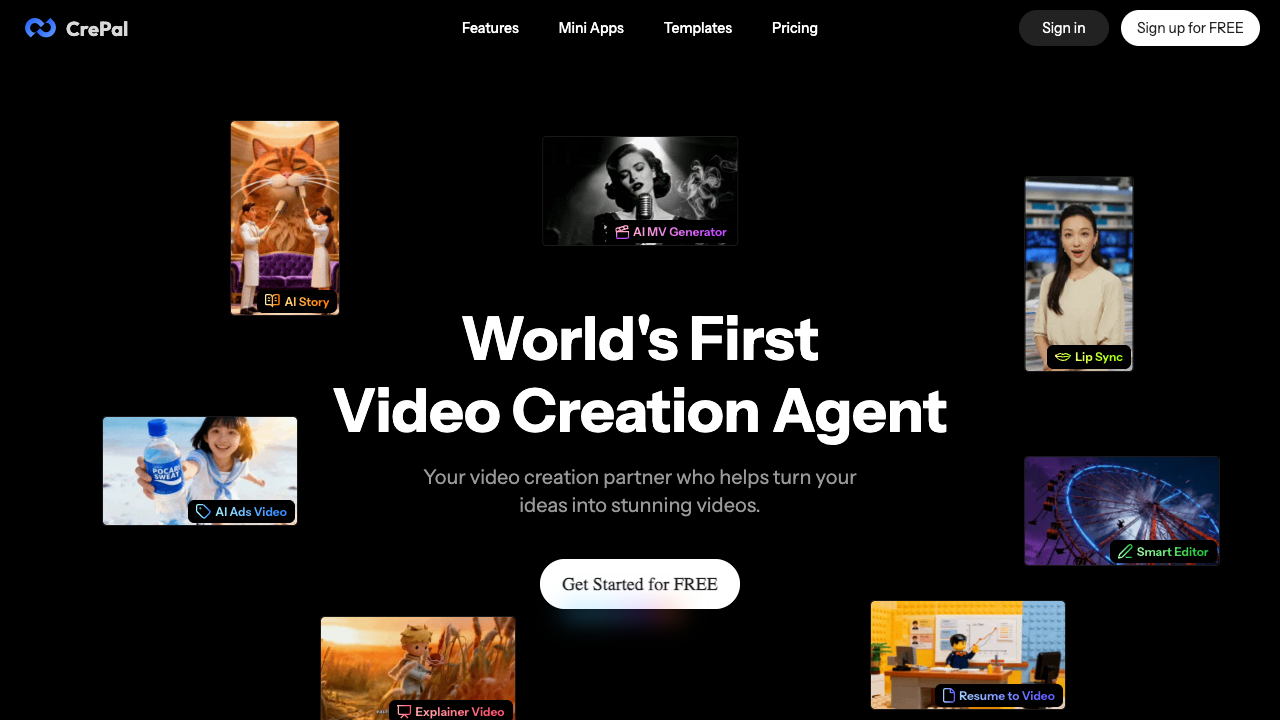
CrePal is a comprehensive AI video creation platform that positions itself as an AI Video Creation Agent. Unlike traditional video editors that require manual timeline manipulation, CrePal utilizes a conversational interface called the AI Director. Users can input basic ideas, scripts, or even PDF documents, and the system handles the heavy lifting of production, including scriptwriting, image generation, and final video assembly. The platform is designed to be an end-to-end solution where the AI acts as a creative partner, allowing users to refine the output through natural language commands such as requesting punchier cuts or warmer color palettes. The core technology behind CrePal is its integration of multiple industry-leading AI models. Rather than relying on a single engine, it unifies tools from providers such as Runway, OpenAI, Suno, Kling, and Hailuo. This multi-model approach allows the platform to intelligently select the most suitable model for specific tasks like high-fidelity image generation, realistic motion, or background music. Features include specialized Mini Apps for Ad Remixing, AI Talking Avatars, and PDF-to-Video conversion, as well as a library of viral-style templates for social media platforms like TikTok and YouTube. This tool is particularly beneficial for content creators, social media influencers, and small business owners who need to produce high-quality visual content quickly without a dedicated production team. Influencers use it to generate anime series or movie-style shorts, while marketing managers leverage the Ad Remix feature to turn product images into professional commercials. The platform offers two distinct modes: an AI Story Mode for beginners that automates the entire process, and a Director Mode for professional creators who require fine-grained control over generation parameters and specific model selection. What distinguishes CrePal from standard AI video generators is its iterative Director workflow and technical transparency. It provides a real-time preview of the AI's work, allowing users to intervene and provide feedback at every stage of the process. For more advanced users, the platform offers control over task queuing and the ability to switch between different generation models for specific clips. This combination of automation and conversational editing effectively reduces the time spent on manual post-production while maintaining creative consistency across a project.
CrePal pros & cons
Pros
- Integrates multiple top-tier models like Kling, Hailuo, and Suno in one platform.
- Enables video editing through natural language conversational prompts.
- Supports direct PDF to video conversion for reports and presentations.
- Provides real-time previews of scriptwriting and image generation stages.
- Offers specialized mini-apps for niche tasks like AI Talking Avatars and Ad Remix.
Cons
- Exporting videos without watermarks requires a paid subscription.
- Only members with active subscriptions can purchase additional credit top-ups.
- Advanced Max features like one-on-one support are limited to the highest tier.
- Concurrent task limits apply to the Plus and Pro plans.
CrePal use cases
- Small business owners can use the Ad Remix feature to transform static product images into high-end commercials for social media ads.
- YouTube and TikTok influencers can automate the creation of anime series or movie-style shorts using the AI Story mode and templates.
- Marketing managers can quickly generate platform-ready clips with multi-language subtitles and punchy edits via chat commands.
- Independent filmmakers can use the AI Director as a virtual assistant to build rough edits and mood-consistent scenes from raw footage.
- Educational content creators can turn complex analytical reports or pitch decks into engaging videos using the PDF to AI Video tool.
CrePal features
- ai talking avatar generation
- viral video templates
- pdf to video conversion
- ai story mode
- real-time production preview
- ad remix (product image to commercial)
- multi-model integration (runway, kling, suno)
- ai director (chat-based editing)
CrePal pricing
Is CrePal free? No, CrePal doesn't offer a free plan; pricing starts at $19 / month.
Plus
$19 / month
- 2000 credits per month
- Priority task queue
- Access to all image & video models
- 3 concurrent tasks
- Export without watermark
- Flexible credit top-up
- Early access to beta features
Pro
$79 / month
- 10000 credits per month
- Priority task queue
- Access to all image & video models
- 10 concurrent tasks
- Export without watermark
- Flexible credit top-up
- Early access to beta features
Max
$199 / month
- 26000 credits per month
- Priority task queue
- Access to all image & video models
- Unlimited concurrent tasks
- Export without watermark
- Flexible credit top-up
- Early access to beta features
- One-on-one customer support
CrePal FAQs
Which AI video models does CrePal support?
CrePal unifies several cutting-edge models including Runway, OpenAI, Suno, Hailuo, Kling, PixVerse, and Vidu. It intelligently selects the most suitable model for your specific project's needs.
Can I use CrePal for free?
Yes, users can sign up for free to explore the platform. However, exporting videos without watermarks and accessing advanced features requires a paid subscription plan.
How do I get more credits if I run out?
Only CrePal members with an active subscription are eligible to purchase flexible credit top-up packages. This ensures you can finish larger projects without waiting for the next billing cycle.
What is the difference between AI Story Mode and Director Mode?
AI Story Mode handles the entire creation process automatically for beginners. Director Mode offers professional creators fine-grained control over generation parameters and conversational editing.
Does CrePal support exporting in High Definition?
Yes, the platform allows you to export HD video files. These exports include integrated subtitles, voiceovers, and background music for a polished final product.
Ratings & reviews
No reviews yet. Be the first to share how CrePal worked for you.
Alternatives to CrePal
View all alternatives
Convert static images and photos into watermark-free HD MP4 videos with custom motion, ready-to-use templates, and multi-model AI generation.

Generate 30-second 4K cinematic AI videos with advanced multimodal reference stacks and 3D camera blocking for filmmakers, advertisers, and creative teams.

Turn text prompts or static images into professional 4K videos with synchronized audio and realistic motion using advanced multimodal generative AI technology.

Generate cinematic 1080p HD videos with synchronized audio using a native multimodal AI framework designed for professional creators and research teams.

Transform scripts into animated AI videos with consistent characters, realistic voices, and auto-subtitles. Perfect for creators, marketers, and educators.

Produce high-performing AI video ads and creator-led UGC in minutes using lifelike avatars, URL-to-video conversion, and automated script generation for brands.

Create professional AI videos with lifelike avatars and natural voiceovers in minutes. Ideal for marketers and teams looking to scale content in 175+ languages.

Generate complete how-to videos from simple text prompts using an open-source tool that automates scripting, narration, video generation, and background music.
Sponsored tools

Test your knowledge in live multiplayer Jeopardy-style trivia battles with AI-assisted grading that recognizes correct answers even with spelling mistakes.

Connect with engaged niche audiences or monetize your subscriber base through an automated marketplace featuring verified metrics and secure Stripe payments.

Swap characters, backgrounds, or styles in any video while preserving original motion and camera paths. Perfect for digital marketers and creators.

Track brand citations and mentions across Google AI Mode, ChatGPT, Claude, and more. Discover top-cited sources and queries with zero signup required.