
Translate English PDF documents into Japanese in seconds while preserving the original layout and formatting for effortless side-by-side reading and research.

PDFTranslator
Translate complex PDF documents across 100+ languages with original formatting preserved. Enjoy free, secure translation with OCR and zero registration.
No paid plan
Free
About PDFTranslator
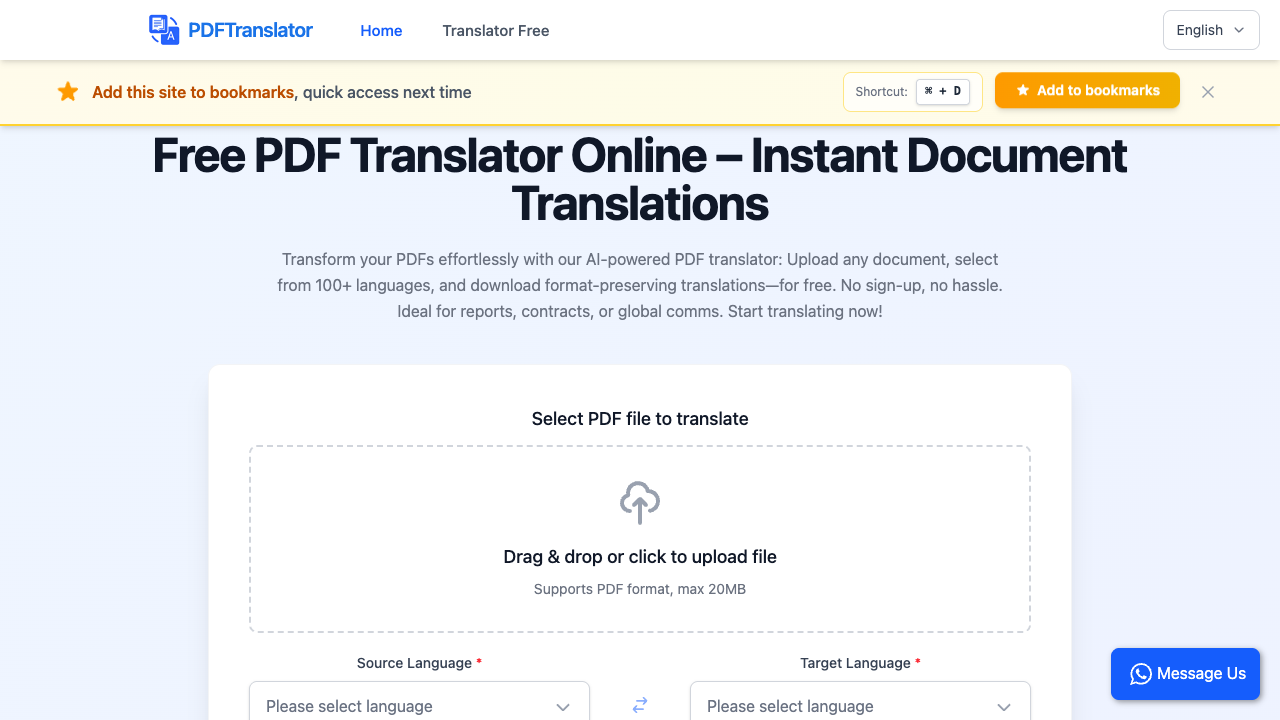
PDFTranslator is a web-based document translation service designed to convert PDFs across more than 100 languages while keeping the original document design intact. Utilizing modern AI models such as Gemini and ChatGPT, the platform handles the intricacies of document intelligence by reading text flow, extracting copy from scanned assets, and preserving visual elements like tables, diagrams, equations, and multi-column layouts without manual reformatting. The service operates entirely in the browser without requiring software installation or account registration. Users upload a PDF of up to 20MB, specify the source and target languages, choose their preferred translation style, and execute the task. Built-in OCR capabilities ensure that both native digital text and flattened scans or images are parsed into fully readable translations. Users can run up to three parallel translation tasks at a time, making it efficient to process multiple items in tandem. This utility is tailored for academic researchers, university students, corporate project leads, and freelance translators who handle multilingual documentation such as research papers, textbooks, technical handbooks, and legal contracts. Because formatting, tables, and footnotes remain unchanged, professionals can quickly cite and analyze foreign-language materials without hiring expensive translation agencies or spending hours fixing misaligned documents. What sets PDFTranslator apart from conventional tools like Google Translate or standard DeepL tiers is its generous free allowance and privacy guarantees. Users receive 600 free pages per month with support for large files and included OCR capabilities. Files are protected via SSL encryption, deleted within 24 hours, and explicitly never used for training AI models, ensuring document privacy for sensitive records.
PDFTranslator pros & cons
Pros
- Preserves complex document layouts, equations, tables, and images accurately.
- Provides 600 free pages per calendar month without requiring user registration.
- Includes integrated OCR for scanned PDFs at no additional cost.
- User uploads and translated files are automatically purged within 24 hours and not used for AI training.
Cons
- Upload file size is capped at 20MB per document.
- Limits users to 3 simultaneous parallel translation tasks.
- Download links and translation history in the browser expire after 24 hours.
PDFTranslator use cases
- Academic researchers can translate foreign scientific papers and journal articles while preserving tables, citations, and equations.
- Project managers can convert business proposals, reports, and presentations between English, Spanish, or Mandarin without losing visual chart layouts.
- Freelance translators and legal professionals can rapidly review foreign-language contracts and handbooks with layout fidelity intact.
- University students can translate full foreign textbooks and study materials up to 600 pages monthly for free.
PDFTranslator features
- integrated suite of pdf tools including split, merge, and compress
- automated 24-hour file deletion and ssl security
- up to 3 concurrent parallel translation tasks
- max file size limit of 20mb
- 600 free pages per month allowance
- built-in ocr for translating text inside scanned pdfs and images
- translation support for over 100 global and low-resource languages
- format and layout preservation for tables, fonts, and images
PDFTranslator pricing
Is PDFTranslator free? Yes, PDFTranslator has a free plan.
Free
Free
- 600 free pages per calendar month
- Up to 3 parallel tasks
- Max 20MB file size
- Built-in OCR translation
- Support for 100+ languages
- Format and layout preservation
- Automatic file deletion after 24 hours
- No account sign-up required
PDFTranslator FAQs
How can I translate document files online without software?
Upload your PDF file to PDFTranslator.org, choose your source and target languages along with your desired translation style, and click Start Translation. Your formatted file will be ready to preview or download in seconds without installing software or creating an account.
What is the maximum file size and page limit for PDF uploads?
PDFTranslator supports individual PDF uploads up to 20MB. Users are allocated 600 free pages per calendar month, which automatically resets at the beginning of each month.
Does PDFTranslator preserve tables, images, and formatting?
Yes, the AI translation engine is designed specifically to maintain the original document structure. Tables, charts, equations, diagrams, and font layouts remain intact in the final translated document.
Is it safe to upload confidential documents to PDFTranslator?
All uploads are secured via SSL. Source documents and failed files are automatically deleted after 24 hours, download links expire after 24 hours, and files are never used to train AI models or shared publicly.
Can PDFTranslator translate scanned PDFs or images?
Yes, PDFTranslator includes built-in OCR (Optical Character Recognition) technology. It automatically extracts text embedded inside images or scanned pages and translates it directly into the output document.
Ratings & reviews
11/24/2025
Super Easy PDF Translator! PDF Translator is a total lifesaver! It’s quick, accurate, and keeps everything – like tables and images – looking exactly the same after translating. I love that it’s completely free, no sign-up required, and you can translate as many files as you want. Plus, the privacy and security features are solid. Definitely my go-to tool for PDF translations!
Alternatives to PDFTranslator

Translate complex documents, images, and videos across 80+ languages while preserving original layouts and formatting for seamless global communication.

Translate complex documents into 130+ languages while preserving original layouts and formatting for legal, medical, and academic professionals using AI-powered OCR.

Translate PDF, Word, and EPUB files while keeping original formatting using advanced AI models like GPT-4 and Gemini for professionals and enterprises.

Translate complex PDF documents and scans while maintaining the original layout and formatting using advanced AI models supporting over 100 different languages.

Translate complex documents across 120+ languages while preserving original formatting and layouts for PDFs, Word files, and spreadsheets in seconds.
Maintain original document layouts while translating PDFs, Word, and Excel files into 136 languages, helping international professionals communicate effectively.

Boost translation productivity and maintain document layouts using an AI-powered workbench with ChatGPT assistance, neural machine translation, and shared memories.

Translate complex documents, subtitles, and media files while preserving original layouts and formatting using context-aware AI for professional localization.
Sponsored tools

Test your knowledge in live multiplayer Jeopardy-style trivia battles with AI-assisted grading that recognizes correct answers even with spelling mistakes.

Connect with engaged niche audiences or monetize your subscriber base through an automated marketplace featuring verified metrics and secure Stripe payments.

Swap characters, backgrounds, or styles in any video while preserving original motion and camera paths. Perfect for digital marketers and creators.

Track brand citations and mentions across Google AI Mode, ChatGPT, Claude, and more. Discover top-cited sources and queries with zero signup required.